
In 3 steps
How to find your spare part
We offer a simple way to find spare parts for our products. Follow these three steps — from the shop, to the nameplate, to the right spare part.
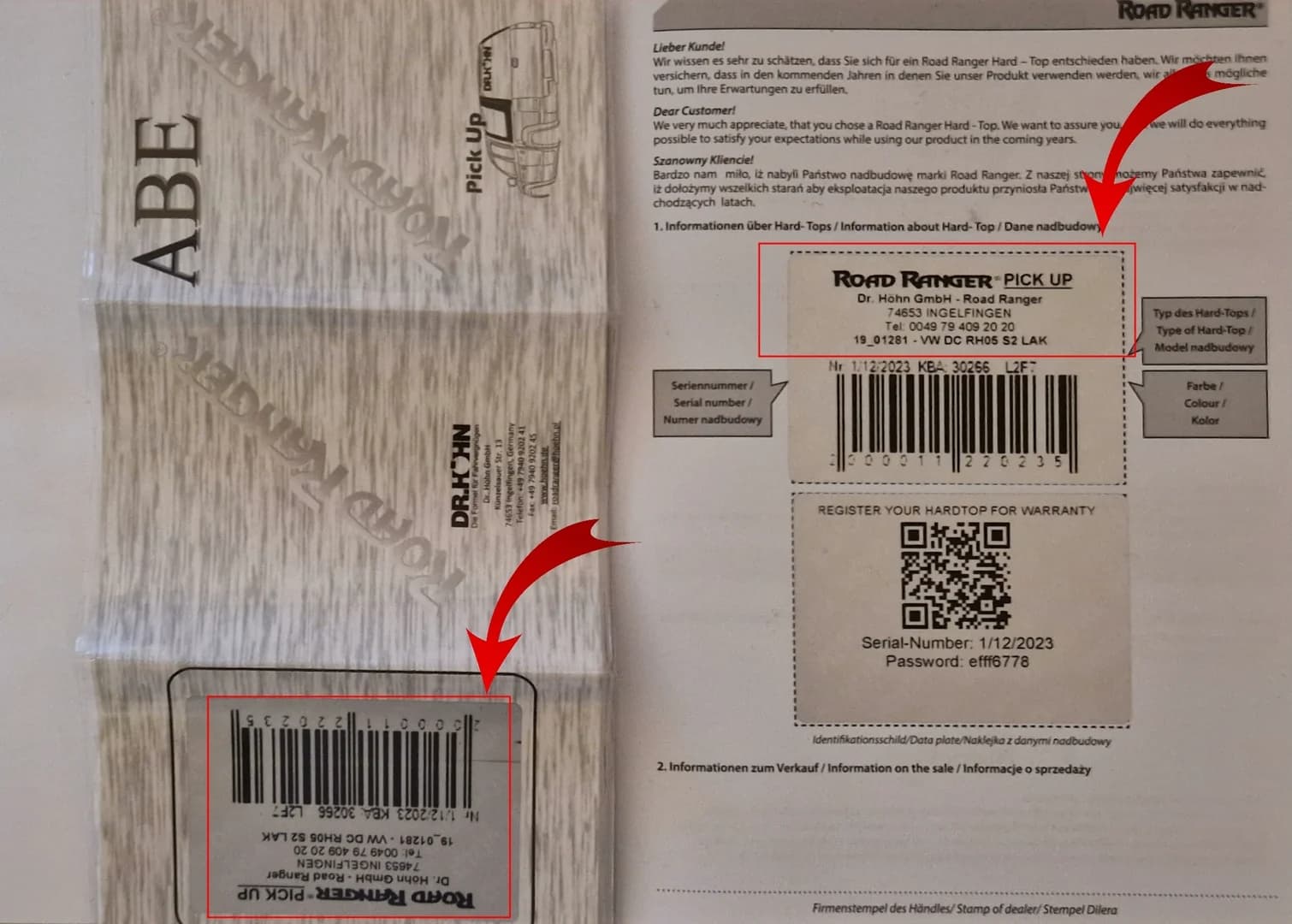
01
Nameplate & Version Number
You can find the version number and serial number of your hardtop in three places:
- ▸On the nameplate inside the hardtop — usually on the inner side of the tailgate.
- ▸In the enclosed type approval certificate (ABE).
- ▸In the warranty booklet included with the hardtop.
💡 The version (e.g. BA, IE, IN, KO) determines which spare parts catalog applies to your hardtop.
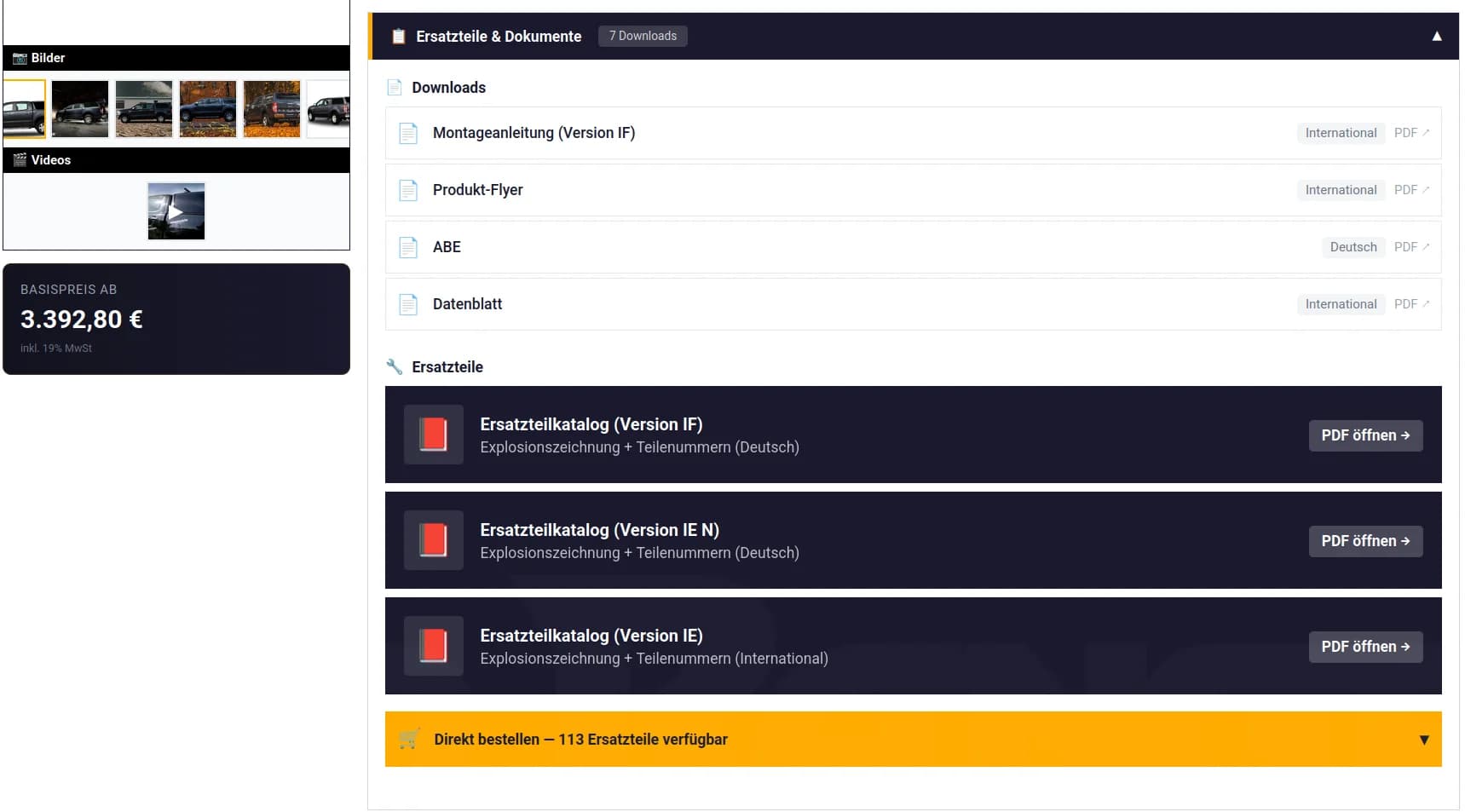
02
Find product in shop
Visit our shop and navigate to the product for which you need spare parts.
- ▸In the “Downloads” section on the left, you'll find the spare parts catalog as PDF for your specific version.
- ▸Via the “Show spare parts” button, all available spare parts are listed directly in the shop.
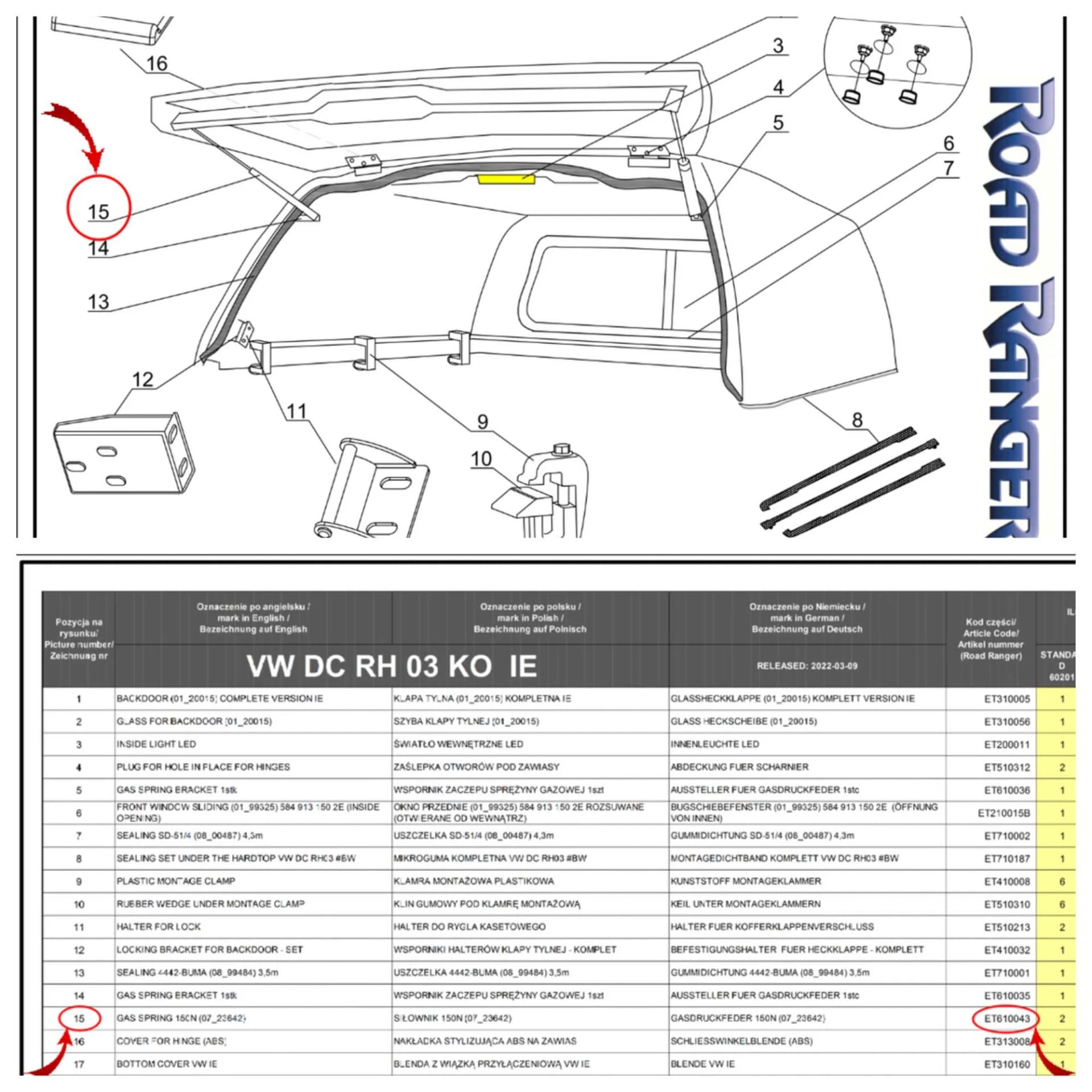
03
Identify spare part in catalog
In the spare parts catalog you'll find an exploded view with numbered components. Here's how:
- ▸Find the needed part in the drawing and note the number.
- ▸In the table below, find the spare part article number for the drawing number.
- ▸With this article number you can search for the spare part in the shop or contact us.
Need help finding a spare part?
Send us your nameplate data — we'll find the right part.